License Key
Overview
A license key is required to activate and use the full features of Aquarius. Each key is unique and tied to a specific user or organisation.
Obtaining a License Key
After successful payment, you will receive the license key via email.
Activating Your License Key
Once you have obtained your license key, activate it by following these steps:
Open Aquarius. After the first installation, the software will be unlicensed. A window will pop up requesting a license key be entered.
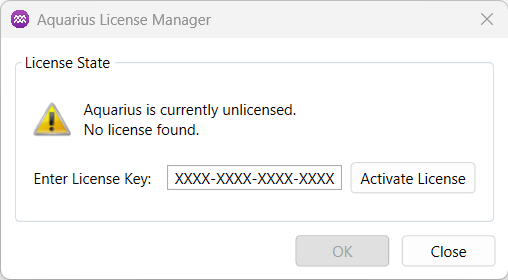
Your license key will be in the format XXXX-XXXX-XXXX-XXXX. Enter it into the text box and activate the license.
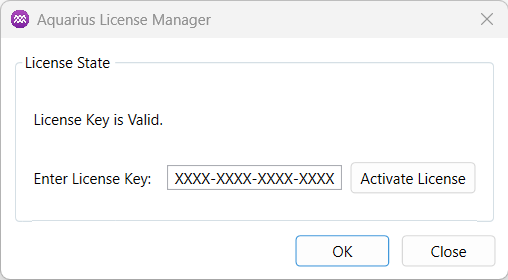
If the key is valid, the 'OK' button will be enabled. Click OK to continue.
Troubleshooting
If you encounter issues with the license file, try deleting the local License.key file from your system. You can find it at:
{SystemDrive}:/Users/{UserName}/AppData/Local/LicenseSpring/{ProductCode}
After deleting the file, follow the steps above to reactivate the license key. If the issues persist contact admin@kuasasemi.com for further support.